Remarkably, SAP serves over 400,000 customers, and Salesforce has been named the number 1 CRM provider by IDC for the 12th consecutive year! These are the power platforms fuelling some of the world’s most successful businesses. Although both have a solid standing of their own, imagine what they can do for you if integrated!
Salesforce manages customer interactions and the front-end operations, and on the other hand, SAP takes care of the backend operations like finance, logistics, and inventory. However if they are not integrated, businesses often face data silos, manual entries, and broken workflows. These issues become barriers to growth and also cost time, lack accuracy, and affect customer satisfaction.
This guide will take you through everything you must know about Salesforce SAP integration. Together, we will talk about important use cases, tools, methods, best practices, and a real-world roadmap. If you are a business owner or part of a tech team, you will learn how to connect these platforms easily and optimize your operations.
Why Integrate Salesforce & SAP?
Salesforce SAP integration bridges the gap between front-end sales and back-end operations. But let us demystify why it is so important for your business:
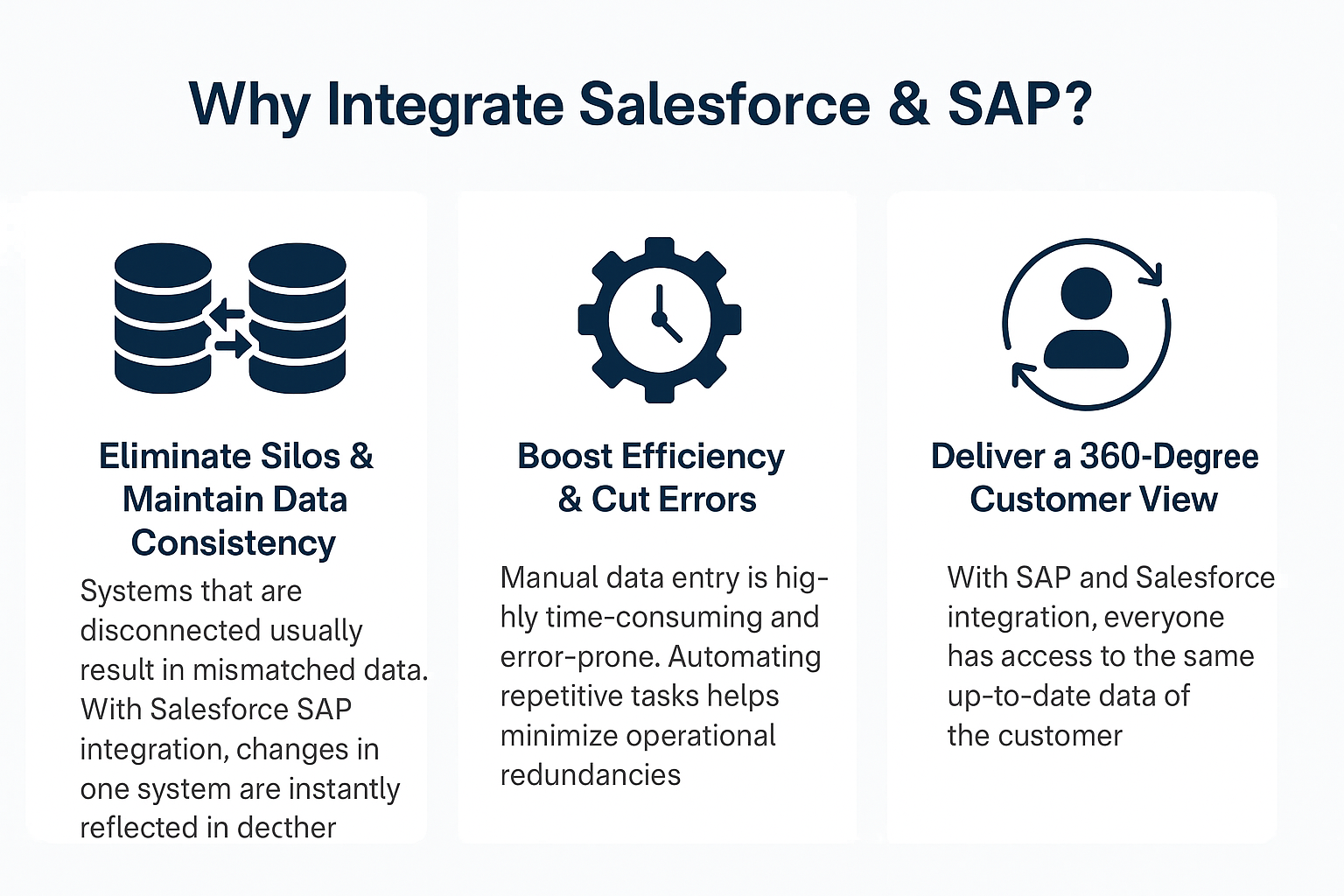
Eliminate Silos & Maintain Data Consistency
Systems that are disconnected usually result in mismatched data. This happens especially across orders, inventory, or invoices. With Salesforce integration, changes that you make in Salesforce are reflected instantly in SAP and vice versa. You do not have to cross-check your spreadsheets or pull out outdated information.
For example, when a sales rep closes a deal in Salesforce, the order can automatically be pushed to SAP for processing. This quick sync minimizes administrative errors, burden, and manual intervention.
Boost Efficiency & Cut Errors
Manual data entry is highly time-consuming, error-prone, and, in short, a productivity killer. This is just one reason why automating repetitive tasks like quote-to-cash processes or inventory status updates is important. It frees up your team for higher-value and higher-priority tasks. By removing redundant steps, Salesforce SAP integration minimizes these operational redundancies.
Deliver a 360-Degree Customer View.
Take the example of a service agent in Salesforce accessing real-time order status, billing details, or delivery schedules without tapping into SAP. With the help of SAP and Salesforce integration, everyone from sales to support has access to the same up-to-date data of the customer. Hence, this cohesiveness boosts satisfaction and retention.
Key Integration Scenarios
There are vast possibilities for SAP and Salesforce integration. Let us go through some of the most common and valuable use cases:
Salesforce → SAP
- Order Sync: After closing a sales deal in Salesforce, the order is created in instantly created in SAP.
- Inventory Checks: Representatives can check SAP inventory levels directly from Salesforce. This enhances accuracy and customer commitment.
- Shipment Triggers: After the products are ready for shipment, SAP sends back updates to Salesforce so customers always stay informed.
SAP → Salesforce
- Invoice Updates: Once invoices are generated in SAP, Salesforce users get real-time visibility about payments and outstanding balances.
- Financial Data Sharing: SAP pushes key financial metrics like credit limits or billing history to sales teams for improved decision-making.
Bi-directional Sync
- Product Catalogs: Updates in the product database of SAP are shown in Salesforce, such as pricing and stock availability.
- Customer Master Data: Changes in contact information or billing addresses stay the same across both platforms.
Here is an Example Workflow:
- Salesforce user closes a deal →
- SAP receives order details →
- SAP updates inventory & invoice →
- Invoice & shipment status sent back to Salesforce →
- Customer receives real-time updates from CRM
Bi-directional data sync is mandatory for dynamic and fast-paced businesses. It eliminates any confusion and brings harmony to your operations.
Integration Methods & Tools
You have a choice of multiple paths when it comes to SAP integration with Salesforce. Each method has its trade-offs in complexity, scalability, and cost. Let us discuss them in depth:
1. Point-to-Point API Integration
Point-to-point integration is probably the fastest way to get started. You connect Salesforce directly to SAP by using APIs.
- Pros: Quick to implement, and minimal setup is required.
- Cons: it has poor scalability, and is hard to maintain as data volume and complexity grow.
It is Best for Small teams or simple use cases like one-way data sync.
2. Middleware / iPaaS Solutions
Platforms like Burq iPaaS, MuleSoft, Celigo, Informatica, etc, offer scalable and low-code/no-code connectors.
- Pros: They have built-in connectors, reusable logic, and error-handling features.
- Cons: Can be costly depending on scale.
Burq especially stands out by being highly flexible and allowing non-developers to easily manage and monitor integrations. For fast-growing or large enterprises, iPaaS is the go-to option.
3. SAP Native Tools & Salesforce Connect
- SAP BTP or CPI: SAP’s native tools work well for closely integrated SAP environments.
- Salesforce Connect: It lets you access SAP data in real-time without storing it in Salesforce.
You can use these if you need data visibility without data duplication.
4. Custom ETL & APEX Coding
This uses tools like Apache NiFi or custom-coded logic via Salesforce APEX classes.
- Pros: Complete control and customization.
- Cons: High development effort and longer timelines.
This is best suited for legacy systems or very specific business rules.
Choosing the Right Approach
- Small Businesses: Should use iPaaS for low-code and quick deployment.
- Mid-sized Orgs: Combine iPaaS with Salesforce Connect for higher visibility and control.
- Large Enterprises: Must consider hybrid solutions (e.g., BURQ iPaaS + SAP CPI).
Best Practices for Salesforce SAP Integration
To get the most from Salesforce SAP integration, follow these best practices and strategies:
1. Strategic Planning
Start by defining your business KPIs, aligning stakeholders, and setting clear objectives. It can be reducing your order-to-cash time or minimizing invoice errors; setting clear objectives right at the start will prevent confusion later.
2. Align Data Models & Objects
A common challenge faced during the SAP Salesforce integration is an inconsistent data structure. Use a data dictionary to map SAP objects (e.g., KNA1 for customers) to Salesforce objects (e.g., Account). Follow the naming conventions to minimize any mismatches.
3. Secure and Compliant Architecture
Use OAuth for authentication, encrypt data during transition, and log every transaction.
- Data Protection: Protect data through encryption, tokenization, and access control.
- Compliance: Stay compliant with GDPR, HIPAA, or your industry standards.
- Audit Logs: Record every data transaction for maximum traceability.
4. Real-Time Monitoring & Alerts
Set up dashboards and alerting systems to track integration flows.
- Performance Monitoring: Track latency, data sync health, and system loads.
- Alerting: Configure error alerts using Slack, email, or webhook.
- Analytics: Use iPaaS analytics to predict any possible failure points.
5. Troubleshooting & Ongoing Support
Problems occur no matter how careful we are, but they can be handled well. These issues can span from updates, version conflicts, or broken dependencies.
- Assign a dedicated integration owner or team.
- Document all your recurring issues and build a support playbook.
- Keep Salesforce and SAP admins in constant communication and collaboration.
6. Manage Performance & Scalability
- Use batch processing for heavy syncs.
- Use real-time API for important updates like payment status or support cases.
- Implement throttling during peak hours to maintain system health.
7. Change Management & Governance
- Use CI/CD for version control and rollbacks.
- Test updates in sandbox environments before rolling them out to remove errors proactively.
- Regularly review and improve your integration flows.
BURQ iPaaS helps automate many of these steps, making it easier for your team to focus on outcomes rather than low-level tasks.
Implementation Roadmap
You must adopt a phased approach for a successful Salesforce to SAP integration. Here is how the roadmap usually looks:

Phase 0: Discovery (1–2 Weeks)
- Map out your existing systems and data flows
- Identify key stakeholders and clarify your business objectives
- Create a high-level architecture plan
Phase 1: Pilot (2–3 Weeks)
- You must begin with a simple scenario, such as an order sync
- Test initial API connections or iPaaS templates
- Gather feedback from end users
Phase 2: Scale (4–6 Weeks)
- Add bi-directional sync for products, pricing, and inventory
- Expand user roles and access permissions
- Stress test the system for any performance issues
Phase 3: Optimize (3–4 Weeks)
- Enhance the performance through caching or indexing
- Refine user interfaces in both SAP and Salesforce
- Introduce monitoring and alerting tools
Phase 4: Maintain (Ongoing)
- Conduct audits every quarter
- Regularly test integration after Salesforce/SAP updates
- Train staff on best practices
Timeline Table:
| Phase | Duration | Key Roles |
| Discovery | 1- 2 weeks | IT Lead, Business Analyst |
| Pilot | 2-3 weeks | Developer, QA, Ops Team |
| Scale | 4-6 weeks | Integration Architect |
| Optimize | 3-4 weeks | UX Designer, DevOps |
| Maintain | Ongoing | Support, Admins, Managers |
Real-World Benefits & Metrics
The ROI of SAP integration with Salesforce is measurable, meaningful, and tangible. Here’s what real businesses are achieving:
- Almost 50% reduction in manual data entry
- Reduction in Order-to-cash cycles
- Improved data accuracy
- Faster decision-making through real-time financial visibility
When Sales teams have complete visibility into stock, invoices, and shipping from SAP directly within Salesforce, they can close deals promptly. Moreover, your finance teams benefit from cleaner data and fewer reconciliation issues.
By combining the CRM power of Salesforce with SAP’s back-end strength, you get solid and cohesive processes, better forecasting, and happier customers.
Common Challenges & How to Overcome Them
Even the best integrations face challenges. Here are a few issues that you might expect and how to overcome them:
Data Mismatches
SAP’s rigid schema does not always align with the flexibility of Salesforce. Use proper field mapping and transformation logic to prevent any mismatched formats.
Customization Conflicts
Custom fields, objects, or legacy extensions can lead to broken flows. To cater to this, you must test thoroughly in sandbox environments.
Performance Bottlenecks
Mid-day API spikes can slow down systems. Use batch jobs or stagger syncs where possible.
Security Concerns
Make sure data is encrypted and role-based access is given. Conduct regular security audits.
Conclusion & Way Forward
Salesforce SAP integration is not just an upgrade for your business; it is a power duo that complements each other perfectly to uplift your business to new heights! It is your power move to
Maximize your operations, cut costs, and boost customer experience. By syncing CRM and ERP data, you get rid of time-consuming manual work, empower teams, and gain complete visibility.
You can start by assessing your current systems and identifying gaps. Then pilot one simple use case, like order sync or invoice tracking. Whether you choose middleware, point-to-point, or iPaaS, the benefits will be visible quickly to you.
Wait no more and book a demo with our expert and explore how Burq can simplify your Salesforce SAP integration journey!