Transformation
Transformations in Burq iPaaS allow you to manipulate and map data fields between different systems during orchestration. Below are the exact steps to configure a Field-to-Field Transformation inside a dataflow.
- Open your dataflow and go to the Orchestration tab.
- You will see the flow diagram with connected API calls and branches.

- Click the pencil/edit icon on the card (for example, the Shopify or D365 step).
- This opens the Edit API popup window.
- In the popup window, select the Input tab.
- Inside this tab, click on Transform.
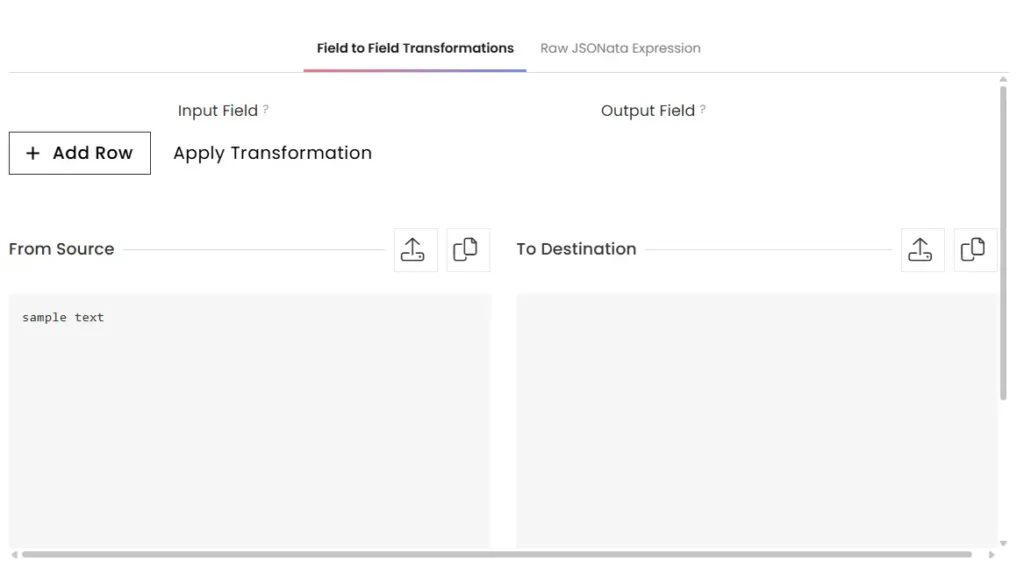
- This opens the transformation editor.

- In the transformation editor, select Field to Field Transformations.
- Click + Add Row to start defining a transformation rule.
- Enter the From Source (input field name/value) and the To Destination (output field name/value).
- Continue adding rows for each mapping you require.
- Once all mappings are defined, click OK.
- Save your dataflow orchestration to apply the changes.