

What Is WooCommerce?
WooCommerce is a free eCommerce plugin for WordPress that transforms a basic website into an online store, having all the essential functionalities.
It is an open-source solution, which implies that you can customize its features according to your requirements.
Why WooCommerce?
Here are all the compelling reasons that motivate us towards WooCommerce:
- Easy to Use:
WooCommerce is developed while keeping beginners in mind. Its intuitive interface lets you set up and manage an online store with ease even if you do not have any technical knowledge.
- Highly Customizable:
In contrast to the other platforms that are available, which usually come with rigid structures, WooCommerce is highly flexible and lets you customize the appearance of your store, checkout process, and features. This is all due to the thousands of available themes and plugins.
- Scalable:
Without needing a major overhaul, WooCommerce grows as your needs grow, whether you are launching a small online shop with a few products or growing to a huge eCommerce site with thousands of product listings.
- Secure & Reliable:
Its periodic security updates and an active community of developers guarantee that WooCommerce remains one of the safest platforms for running an online store.
WooCommerce connects easily with WordPress, making it a vital tool for anyone trying to sell goods online successfully.
How to Add WooCommerce to WordPress
Getting started with WooCommerce is quite simple in fact. You have to follow these simple steps to add WooCommerce to your WordPress site:
- Log in to WordPress:
Enter your Admin credentials and navigate to your WordPress dashboard.
- Install WooCommerce:
Click on Plugins > Add New, type WooCommerce in the search bar, and press Install Now.
- Activate the Plugin:
After the installation process is complete, click Activate to activate WooCommerce on your website. This will add all the important eCommerce features such as product listings, a shopping cart, and checkout options for your store.
- Follow the Setup Wizard:
WooCommerce comes with a built-in setup wizard that takes you through the process of configuring important settings such as store location, currency, and payment methods.
Bingo! With this you have WooCommerce installed successfully on your website. But the job does not stop here, you must integrate and customize it to match your business needs.
How to Integrate WooCommerce with WordPress
After the installation of WooCommerce, the next step is its integration. This means connecting your store with payment gateways, shipping providers, and other essential tools. Here is how to do it:
- Payment Integration:
WooCommerce supports multiple payment methods, including PayPal and Stripe, and also direct bank transfers. You can set up your chosen payment options by WooCommerce > Settings > Payments to facilitate easy transactions for customers.
- Shipping Setup:
WooCommerce also lets you choose shipping zones and methods, regardless of whether you offer free shipping, flat pricing, or real-time carrier rates.
This can be done by following these steps: WooCommerce > Settings > Shipping. You can also integrate shipping plugins for automated label printing and tracking.
- Tax Configuration:
You can enable automatic tax calculation according to your location or manually set tax rates under WooCommerce > Settings > Tax. This will guarantee compliance with local tax laws and also make checkout easy for customers.
- SEO & Analytics:
Integrating WooCommerce with Google Analytics helps you monitor customer behavior and sales performance. SEO plugins like Yoast SEO refine the content of your store for better search engine rankings.
Integrating these features will make sure that your store runs efficiently, and provides customers with a good shopping experience.
WooCommerce Customization Tips for Beginners
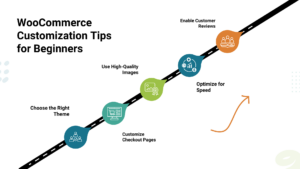 One of the best things about WooCommerce is that it is highly customizable. Here are some WooCommerce customization tips for beginners to make your store stand out from the rest:
- Choose the Right Theme: Not every WordPress theme has been designed with eCommerce in mind. Selecting a theme that is compatible with WooCommerce and has a simple design guarantees smooth shopping across devices.
- Customize Checkout Pages: A lengthy checkout process can increase the cart abandonment rate, as it frustrates the customer. Using plugins like Checkout Field Editor, you can simplify checkout fields, remove unnecessary steps, and create a hassle-free buying experience.
- Use High-Quality Images: Low-resolution and blurry images of the product can turn potential buyers away. You must upload clear, high-resolution images with zoom-in functionality to give customers a clear and detailed view of your products.
- Optimize for Speed: A slow website can frustrate shoppers. Use caching plugins like WP Rocket, compress images using Smush, and go for a fast hosting provider to keep your store running at a good speed.
- Enable Customer Reviews: Positive customer reviews build trust and also influence potential customers. By activating the built-in review system of WooCommerce, you can encourage customers to share their experiences, which can increase sales.
Customizing WooCommerce helps you to develop a unique and exclusive buying experience.
Best WooCommerce Plugins for Beginners
Plugins are a major factor that makes WooCommerce so powerful. If you are a newbie, then, here are some of the best WooCommerce plugins for beginners to uplift your store:
- WooCommerce Payments:
It is a built-in solution that lets you accept payments directly in WooCommerce without the need for any third-party processors.
- WooCommerce Subscriptions:
These are the best for businesses that offer memberships or subscription-based products. They enable customers to make recurring payments.
- Yoast SEO:
Yoast SEO is a must-have for improving your product pages and blog content. It guarantees higher rankings in search engines.
- WooCommerce Cart Abandonment Recovery:
This sends automated reminders to customers who leave products in their cart, hence, increasing conversion rates.
- Jetpack:
Jetpack is a multi-purpose plugin that increases security, speeds up your website, and provides useful analytics for enhanced decision-making.
These plugins can drastically improve the functionality of your store and make it easier for you to manage and scale.
WooCommerce Training & Tutorials
If you are new to WooCommerce, many resources will help you get started. Here are some of the best WooCommerce training options:
- WooCommerce’s Official Guide:
The WooCommerce Docs provides detailed, step-by-step tutorials on setting up and managing your store.
- YouTube Tutorials: Many Channels like WPBeginner and WPCrafter provide free and easy video tutorials that thoroughly explain complex topics.
- Online Courses: online teaching platforms like Udemy, Coursera, and LinkedIn Learning offer comprehensive courses for WooCommerce training. They cover everything from setup to advanced customization.
- WooCommerce Community & Forums: Interacting with WooCommerce’s community forums will also help you get expert advice and troubleshoot common issues.
By following a WooCommerce tutorial or course, you can get hands-on experience in managing and maximizing your store.
Conclusion
For WooCommerce for beginners, setting up and integrating your store may seem like a daunting and overwhelming task, but it in reality is quite simple when broken down into steps.
With WooCommerce installed successfully, payment gateways integrated, themes customized, and necessary plugins included, you have now set up a strong foundation for your online store.
This is just the beginning of success, as your business grows, you will need advanced integrations to optimize your operations and expand your reach.
If you are searching for a powerful integration platform, then you must check out BURQ iPaaS. With its advanced automation and smooth multi-platform connectivity, BURQ iPaaS helps eCommerce businesses to scale easily.
So do you want to stay ahead in the world of eCommerce? Then you must take the first step now and explore smart integration solutions!