What is an API?
An API stands for Application Programming Interface, but that sounds much more technical than it is, especially considering API for beginners.
In a physical world scenario, you can imagine an API as a waiter in a restaurant. You tell the waiter (API) what you want (data), and they go into the kitchen (the system) to fetch it for you, then bring it back to your table (which is the app that you are using).
An API is a messenger that helps one app request and receive information from another app. Without APIs, apps would not be able to communicate and operate in silos and automation would be impossible.
What is API Integration?
Now that you know what APIs are, let’s talk about API integration.
API integration happens when two or more apps connect through their APIs so they can share data and work together. For example, integrating Shopify with QuickBooks means sales data will automatically go to your accounting software.
This type of integration helps you get rid of the hassle of copy-paste and gives you clean and updated data. So, we can say that API data integration brings you automation, speed, and minimizes the chances of error.
Why Does API Integration Matter?
API integration works behind the scenes, but the results are shown at the front. So, we’ll understand its impact from both the business and user ends.
For Businesses
Faster workflows
When you integrate your systems through APIs, your daily processes are carried out and updated in real time, such as inventory updates. This means that employees have to do less manual work or switch between different platforms. As a result, it reduces delay time in operations and lets businesses spend time on high-value tasks.
No manual data entry
Elimination of manual data entry is a big relief! As it takes up time and is highly error-prone. Every time you move data manually from one system to another, for example, copying a list of customers from your CRM into an email platform, there is a risk of errors. API integration automates data transfer and lets systems communicate directly by eradicating human intervention. Therefore, overhead and the chance of duplicate or inaccurate entries are also minimized.
Fewer human errors
Systems that rely on manual processes often encounter typos, missed entries, and outdated data. However, API integrations always use the same logic and automatically transfer data. So no one forgets anything or enters an incorrect amount. Everything is always done accurately in the background.
Real-time data
Real-time synchronization is a must in the digital world that we live in. It lets businesses be proactive and act quickly. They can modify pricing, fulfill orders, and handle customer issues, all on the basis of the most updated information. For example, a logistics platform that is integrated through an API with delivery services can track their parcels in real time and tell customers about any delays. This high responsiveness is a major competitive advantage.
For Users
Better Experience
Although they are unaware but customers do benefit directly from API integration. For example, if a customer updates the email address in the mobile app, it is automatically updated in your CRM and email marketing platform. And then they always get the email at the new address.
Personalized interactions
Integrated systems give businesses a complete view of the customer’s journey. Thus, when a user visits your site, your system already knows the products they looked at, the emails they opened, etc. With the help of this data, you can personalize offers for them and send messages that are relevant, without entering data manually from different apps.
Time saved
Time is saved for both the business and the user, and API integration cuts time wasted on repetitive tasks. APIs help users complete tasks faster and with a minimum number of steps. And on the backend, your team has to spend less time, too.
Common Examples of API Integrations
You use API integrations every day, without realizing it. Here are some of the common API use cases:
CRM + Email Marketing
Example: Salesforce + Mailchimp
When these tools are connected, new leads captured in Salesforce are automatically directed to Mailchimp email lists, segmented on the basis of source or activity. This integration helps marketing teams send targeted messages according to lead behavior, location, or stage in the funnel, without requiring export of files or manual work.
eCommerce + Accounting
Example: WooCommerce + Xero
Whenever a sale is made, the details of the sale are instantly sent to Xero. Thus, keeping your books up to date and ready for any audit requires minimal human intervention. API integrations between eCommerce and accounting systems also make it easy to reconcile transactions, generate reports, and visualize profits.
HR + Payroll Systems
Example: BambooHR + Gusto
When a new hire is added in BambooHR, their personal details, salary, and start date can be automatically shared with Gusto to set up payroll. This eliminates the need to onboard the same employee in multiple systems and reduces the chances of discrepancies between HR records and payroll calculations.
How Does API Integration Work?
So, what’s the process behind the overall API integration development? Let’s break it into three steps:
1. One app sends a request
When an event occurs, like a customer placing an order, an API request is initiated. This request has details about the event, such as the product ID, quantity, or price. The request is made to a particular API endpoint, which is a web address that accepts that information.
2. The API acts as the messenger
Then the API takes that request and delivers it securely to the second application. It validates the request, and if required, it formats the data. It also makes sure that the request follows the protocol (usually REST or SOAP). You can think of it as a postal worker who knows exactly where to send the message and the format of the envelope.
3. The second app responds
Now the receiving app processes the request and executes the requested action. For example, creating a new invoice based on the order information. It then sends a confirmation back through the API to let the first system know that the request has been successfully completed.
Different Types of API Integrations
There are different API integrations, and we are presenting some of the common types that you may encounter in your daily use:
One-way (Pull)
In a one-way pull integration, one application requests data from another periodically. For example, your analytics tool might pull order data from Shopify after every thirty minutes and update your dashboard. This is great if you do not need real-time updates but still want up-to-date information regularly.
Two-way (Push & Pull)
Two-way integration lets both apps send and receive data. A good example of this is when your CRM updates when a customer makes a purchase, and your eCommerce system updates when their contact details are changed in the CRM. This is suitable for businesses where both systems need to stay synchronized constantly.
Real-time
These integrations happen when something changes. An example is real-time map updates of an app. In e-commerce, real-time integrations mean that customers get quick confirmation os their order, and the inventory shows the availability immediately, and returns are processed without any delay.
Batch-based
Batch-based integrations collect data over a specific period and then send it all at once, instead of sending data continuously. For example, your accounting tool may only receive a daily export of sales at midnight. This is used for large datasets where real-time processing is not required.
Tools to Help with API Integration
Building custom API integrations can be time-consuming, especially if you are not a developer. However, some tools, also referred to as API integration solutions, make it a breeze for you:
Tray.io
This offers a low-code platform that helps mid-sized and enterprise teams build flexible and scalable workflows. It supports advanced logic, hence making it suitable for more complex integrations than what Zapier handles.
Zapier
Zapier is famous for its simplicity. You can quickly create “Zaps” that connect your favorite tools without any code. It is suitable for small businesses or marketers who aim to automate simple workflows.
BURQ iPaaS
BURQ iPaaS is exclusively designed for fast-growing ecommerce businesses and teams that need advanced API integration services, but without the technical overhead. It is perfect for businesses that want highly scalable, secure, and customizable integrations. From syncing thousands of SKUs across platforms to consolidating data from multiple third-party logistics (3PL) systems, it offers a low-code, no-code approach for seamless integration.
These tools come with pre-built connectors and drag-and-drop interfaces. Their solid monitoring features make integration less about coding and more about solving real-world problems.
Challenges with API Integration
Although API integrations are powerful, they do pose a few problems:
Compatibility issues
Different apps might use different data structures or protocols. Thus, even if both tools offer APIs, they might not be able to “talk” to each other unless you create a translator or use middleware.
Security & compliance
API integrations make way for data to move between systems, which can raise issues regarding data privacy, access control, and compliance with regulations. You need to guarantee that all data is encrypted and only accessible to authorized systems while being transmitted.
Limited documentation
Some APIs are not well-documented. Hence, it is hard to integrate. Without having clear instructions about endpoints, parameters, or authentication, developers might spend hours troubleshooting.
Rate limits & versioning
APIs usually have limits on how many times you can call them in a certain period. If you exceed that limit, the system may reject your request. Moreover, when APIs are updated to new versions, your integration might break if it is not updated.
Getting Started with API Integrations
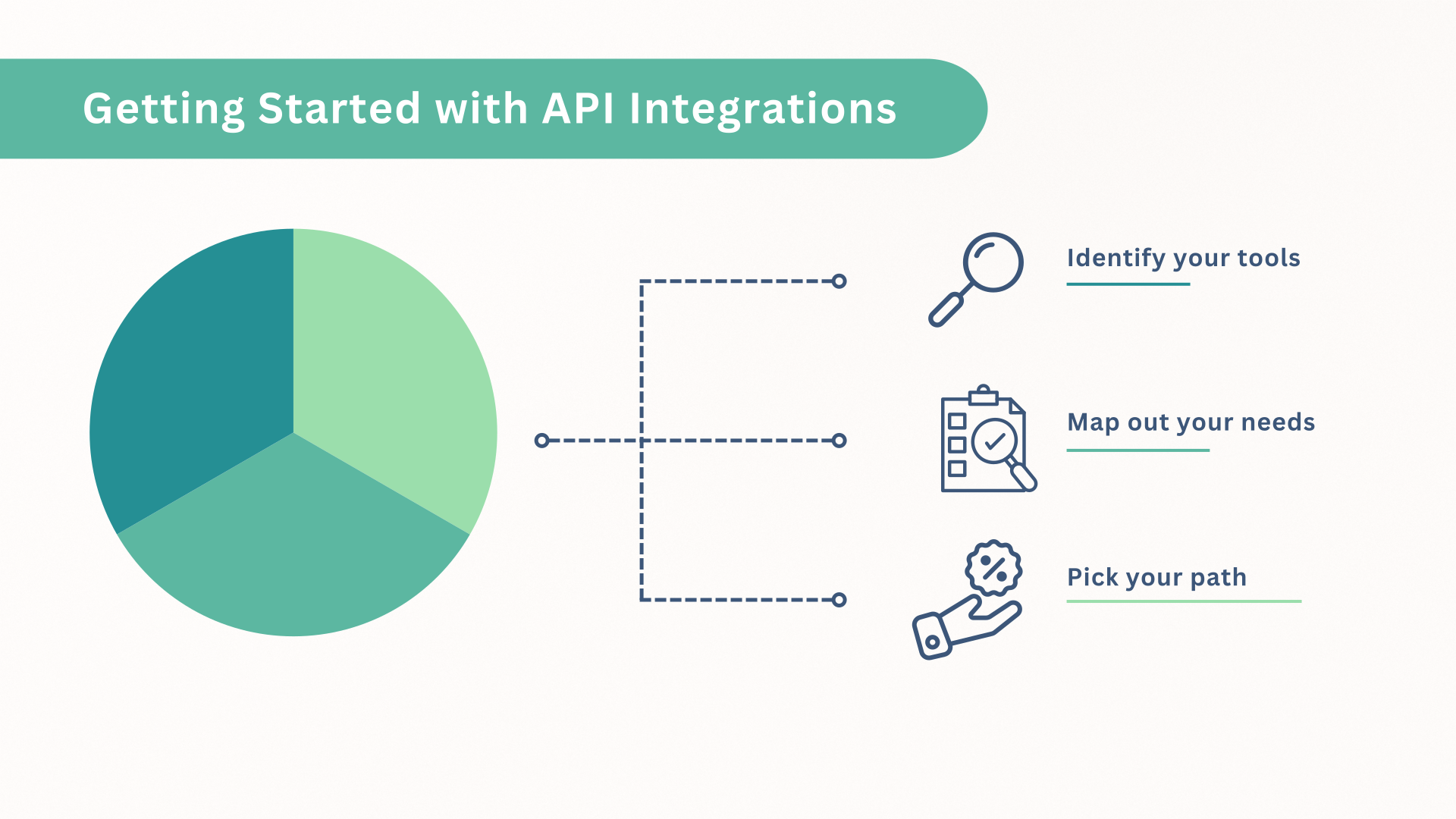 Let us see how to get started with the integrations:
1. Identify your tools
First of all, make a list of all the platforms your business uses, including e-commerce systems, CRMs, ERPs, accounting software, etc. These are your integration targets.
2. Map out your needs
Then ask yourself what kind of data you want to share between tools? Are you syncing customer information, inventory levels, or order statuses? You have to set clear goals here.
3. Pick your path
You can either use an iPaaS platform like BURQ or hire a developer to build something that is custom. Go for what fits your technical and business needs.
After setting up your first connection, you will be amazed at how smoothly everything runs.
Final Thoughts
If you are managing a busy online store or internal operations, API integration is the key to the unification of your systems. It connects the dots between the tools you already use, so they work together like a single system.
So if you are tired of manually syncing spreadsheets or retyping customer information, it is a good time to explore how your apps can work smarter and in harmony.
Looking to integrate your tools? Contact us for help.
FAQs
Why API integration is important?
API integration is important because it lets your apps work together, saves time, minimizes errors, and enhances customer experience.
How much does API integration cost?
The cost depends on your approach. Tools like BURQ iPaaS offer affordable plans, while custom-built integrations can be expensive depending on complexity.
What is the difference between API and integration?
An API is a tool that allows software to communicate. Integration is the process of connecting different systems using APIs.
What are the requirements for API integration?
You will need access to the API (often requires credentials), set clear goals for what you want to connect, and a powerful iPaaS tool or a developer to implement it.