In 2025, Global e-commerce retail sales are projected to touch a staggering $7.4 trillion! Amazing, isn’t it? This huge figure highlights the dire need for having efficient operations. With increasing consumer expectations, tough competition, and skyrocketing operational costs, businesses can no longer afford to have disjointed systems. We must admit that integrating your ERP and eCommerce systems is now a must for meeting the demands of the current day and for achieving sustainable growth for the future. 
What is ERP eCommerce Integration?
So, what is this power duo? ERP eCommerce integration connects your online storefront with your backend ERP system. This way, you can achieve real-time data synchronization across products, orders, customers, and much more. For example, when a customer places an order on your website, the ERP system such as Microsoft Dynamics 365 or Quickbooks iPaaS updates inventory levels automatically, updates your finances, and initiates the order fulfillment process. This automatic process eliminates the need for manual data entry and reduces the risk of human error. This integration guarantees that both your front-end and back-end systems are functioning as one interconnected unit. Moreover, your team is now free to focus on higher priority tasks rather than getting caught up in monotony.
Why eCommerce Businesses Need ERP Integration
But why is this integration so important for e-commerce businesses? Integrating ERP and eCommerce systems gives you several benefits that boost performance and profitability. Let us have a look:
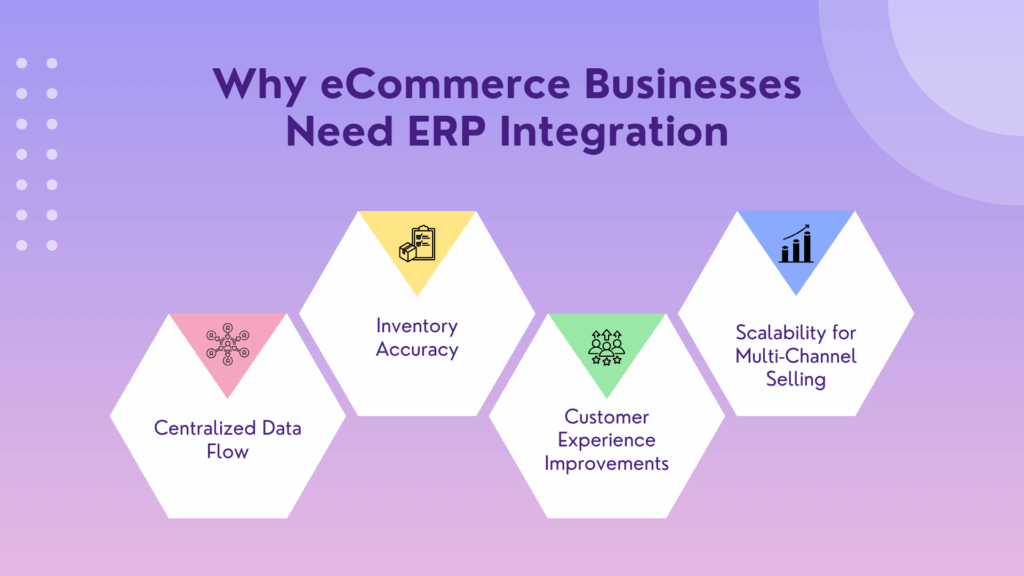
Centralized Data Flow
By having a cohesive unit that is highly interconnected, all your departments, such as sales, finance, operations, and support, have access to the same up-to-date information. This centralized data visibility helps in quicker and informed decision-making. It also eliminates duplication and enhances cross-functional coordination.
Inventory Accuracy
If the inventory is updated in real time, overselling and stockouts are prevented. Hence, this way you can integrate with platforms like Shopify, Magento and WooCommerce to maintain customer trust and manage inventory more efficiently. With the help of automated stock adjustments, you can proactively restock items and avoid unnecessary delays in order fulfillment.
Customer Experience Improvements
Integration also lets your business provide accurate and real-time order tracking, timely notifications, and quicker delivery. Based on synchronized data such as order history or personal preferences, you can give personalized shopping experiences to your customers. And hence boost customer satisfaction, gain loyalty, and encourage repeat purchases.
Scalability for Multi-Channel Selling
An integrated system will always help you grow across multiple sales channels, such as online marketplaces, social commerce, and physical stores. And this can be done without additional administrative burden. It guarantees accurate and the same pricing, product availability, and promotions, regardless of where the customer shops.
How ERP eCommerce Integration Works
Let us help you choose the right approach by helping you understand how data moves and is synchronized between platforms.
Data Flow:
- Orders → ERP:
Customer orders from your eCommerce platform are automatically sent to the ERP for processing and fulfillment.
- Inventory → Storefront:
The ERP system updates stock availability on the website in real time.
- Customer Data ↔ ERP:
Customer information, such as contact details, order history, and individual preferences, is synchronized to facilitate personalized interactions.
- Shipping & Tracking → Customer:
Shipping status and tracking links are extracted from the ERP and shared with customers via the eCommerce interface.
This seamless loop enables you to offer transparency and quick service to your valued customers.
Real-Time vs. Batch Sync
- Real-Time Sync:
Immediate data updates guarantee up-to-date information across platforms. This is the most suitable for high-volume, high-velocity businesses where delays could have a massive impact on operations.
- Batch Sync:
Data is synchronized at pre-set intervals, such as every 15 minutes, hourly, or daily. This method saves system resources but can result in minor data lags.
API vs. Middleware vs. Manual Upload
- API Integration:
APIs act as the middleman, they facilitate direct system communication. They provide fast, secure, and customizable integration. But they may require expertise from developers.
- Middleware (iPaaS):
Powerful integration platforms like Burq iPaaS act as intermediaries. They simplify connections between multiple systems. Platforms such as these come with pre-built connectors and advanced features like error handling, making integration much more manageable and easier.
- Manual Upload:
Manual exports mean the import of data through spreadsheets or CSV files. Although it is inexpensive, it is very time-consuming and highly prone to human error.
Top Integration Approaches (With Pros and Cons)
Let’s have a look at the best integration approaches available out there:
Native Integration
- Pros: Built-in compatibility, quick to set up, and is often supported directly by ERP or eCommerce vendors.
- Cons: It might not be able to handle complex business needs or custom workflows.
Middleware (iPaaS)
- Pros: highly flexible and scalable. Middleware can connect multiple applications across different departments and provide close monitoring and high automation.
- Cons: usually comes with subscription costs and requires initial setup time.
Custom Integration
- Pros: Provides complete control and can be tailored to meet individual business requirements, workflows, and KPIs.
- Cons: Requires a larger budget and longer implementation time. Ongoing maintenance also needs internal or technical support that has to be outsourced.
Quick Comparison
| Integration Type | Cost | Speed | Scalability | Maintenance |
| Native | Low | Fast | Limited | Low |
| Middleware | Moderate | Moderate | High | Moderate |
| Custom | High | Slow | High | High |
This quick comparison can help you in selecting the best approach for your business according to your budget, timeline, and long-term goals.
Real-Life Use Cases and Examples
Shopify + Dynamics 365:
A rapidly growing fashion brand implements a Dynamics 365 Shopify integration, resulting in real-time inventory updates and automated financial reporting. This integration significantly reduces order processing time.
NetSuite + Amazon:
An electronics store leverages a NetSuite Amazon integration to connect its Amazon storefront with NetSuite ERP for backend operations. This integration enables multi-currency transactions and real-time sales analytics, significantly supporting the brand’s international expansion efforts.
WooCommerce + SAP:
A global manufacturer integrates WooCommerce with SAP ERP to connect its supply chain, warehouse management, and customer communications. The result is a massive boost in order fulfillment time and fewer support queries.
These real-world examples showcase the revolutionary impact that the ERP eCommerce integration has on customer experience and internal operations.
Key Benefits of ERP and eCommerce Integration
Here are some notable benefits of this powerful duo:
- Operational Efficiency:
Automates order-to-cash processes, cuts down on repetitive tasks, and boosts the productivity of your team.
- Improved Data Accuracy:
Data is updated across platforms at the same time. This reduces discrepancies and facilitates reliable reporting.
- Enhanced Customer Satisfaction:
Accurate order information, fast shipping, and easy returns earn customer loyalty.
- Scalability:
Let you easily support higher order volumes and more SKUs without increasing headcount or compromising on service quality.
- Better Decision-Making:
Consolidated data enables real-time dashboards and better long-term strategic decision-making across departments.
Integration Challenges and How to Overcome Them
However, with these benefits, there are a few challenges that must be overcome:
Data Mapping and Compatibility
Data fields that are mismatched or formats (e.g., SKUs vs. product IDs) can result in failed syncs or corruption of records.
Solution: Use an iPaaS tool that has data transformation features and ensures consistent structure across systems.
Security Concerns
Integration increases data exposure, and when data is involved, security becomes a prime concern.
Solution: Adopt strategies such as data encryption, tokenization, and multi-layered access controls. Regular audits and compliance with GDPR, CCPA, or other standards are also essential.
Change Management
Even the best tools can fail if your team is not accepting them. Employees can resist new systems or struggle with the learning curve.
Solution: Include your staff early in the planning phase, conduct onboarding sessions, and provide ongoing support for a smooth adoption.
Tips From Experts:
- Choose the Right Partner: Solid integration iPaaS platform like Burq is the expert and provides seamless eCommerce and ERP integrations. Their pre-built connectors and expert support cut down on time-to-value.
- Test Environments: Run tests in sandbox environments to validate your workflows and identify possible integration gaps.
- Phased Rollout: You must start with core functionalities, gather feedback, and expand in phases to minimize disruption.
How to Implement ERP eCommerce Integration (Step-by-Step Guide)
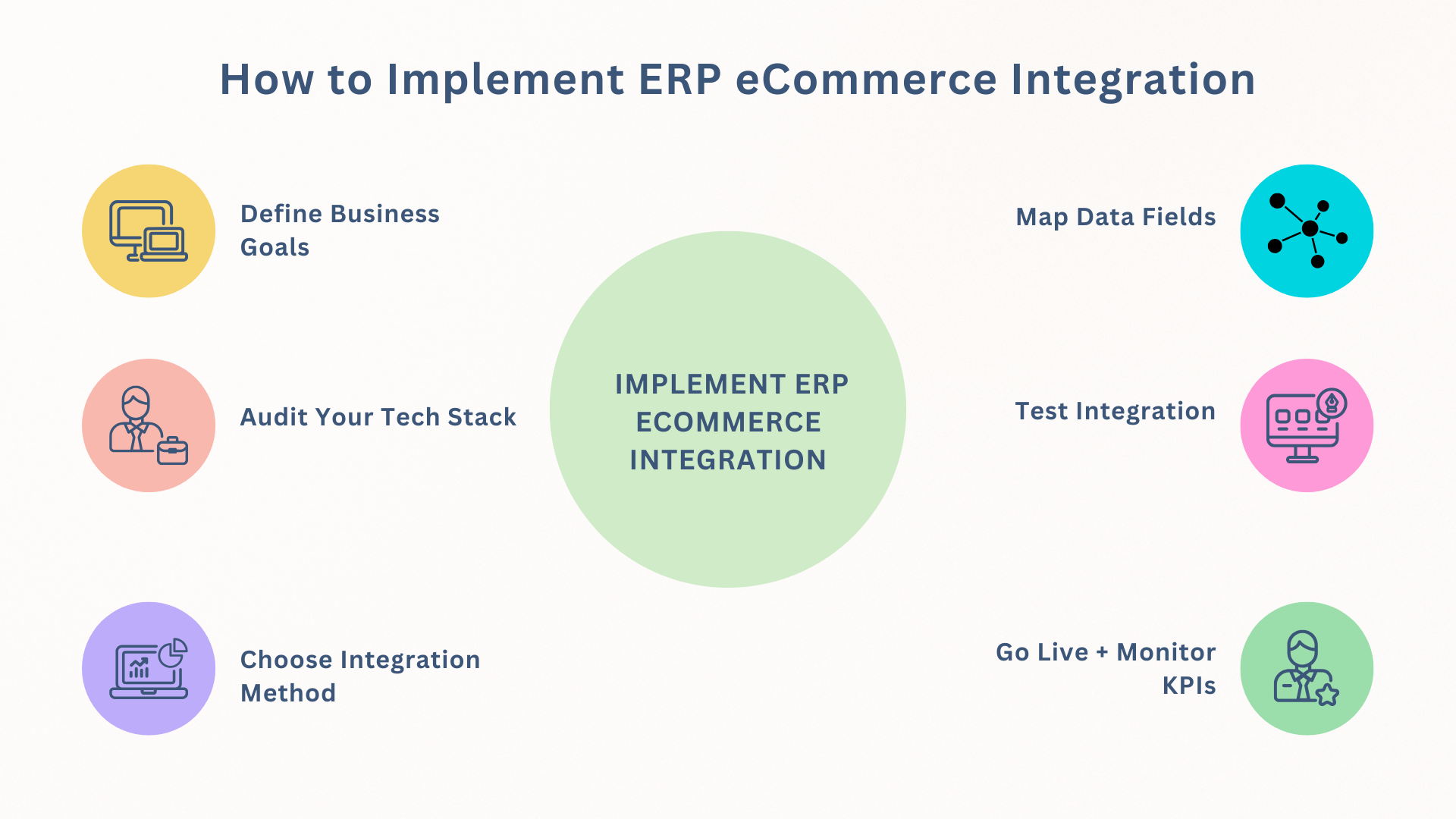
1. Define Business Goals
Set your objectives clearly at the start, such as faster order fulfillment, real-time reporting, or global expansion. Having KPIs at the beginning helps align your tech stack with business targets.
2. Audit Your Tech Stack
Review your existing systems, their limitations, and current integrations. Then, identify must-have vs. nice-to-have capabilities for your integration project.
3. Choose Integration Method
Select the integration method according to the complexity of your operations, existing tools, and available resources. For SMBs, middleware usually provides a good balance between flexibility and cost.
4. Map Data Fields
Lay out how data will flow between systems. This step is important to prevent duplication, broken processes, or reporting errors.
5. Test Integration
You must simulate real-world scenarios, such as order placement, cancellations, inventory syncs, etc., hence, fix bugs and refine performance before going live.
6. Go Live + Monitor KPIs
You can start in a production environment and keep close tabs on important metrics like customer support volume, inventory accuracy, and order processing time.
Final Thoughts
ERP and eCommerce integration is not just a tech upgrade; rather, they go hand in hand and are a strategic business enabler. It uplifts your business by boosting customer satisfaction, optimizing operations, and preparing your business for sustained future growth. Whether you are scaling your online store or optimizing your internal processes, the secret here is to plan carefully and choose the right integration partner, as that will make the actual difference.
So, do you need help integrating your ERP eCommerce platform? Contact us for custom solutions designed around your business.
FAQ
What is ERP, and how does it relate to e-commerce?
ERP (Enterprise Resource Planning) systems manage your core business processes such as inventory, accounting, procurement, and order fulfillment. Once it is integrated with your e-Commerce platform, the ERP enables seamless data flow, improving operational efficiency and customer service.
Which e-commerce platforms support ERP integration?
Most modern e-Commerce platforms, such as Shopify, Magento, WooCommerce, and BigCommerce, support ERP integration via APIs, plugins, or third-party middleware solutions like Burq iPaaS.
How much does ERP eCommerce integration cost?
The integration costs vary according to the systems involved, the scope of integration, and the level of customization. Basic integrations can cost a few thousand dollars, while enterprise-level solutions can demand larger budgets. iPaaS options like Burq offer a cost-effective middle ground.
What is the best ERP for Shopify/Magento stores?
Some of the top ERPs for Shopify and Magento include NetSuite, Microsoft Dynamics 365, SAP Business One, and Acumatica. They are chosen due to their flexibility, integrations, and solid features.