WooCommerce Business Central Integration. Sync products, orders & stock automatically.
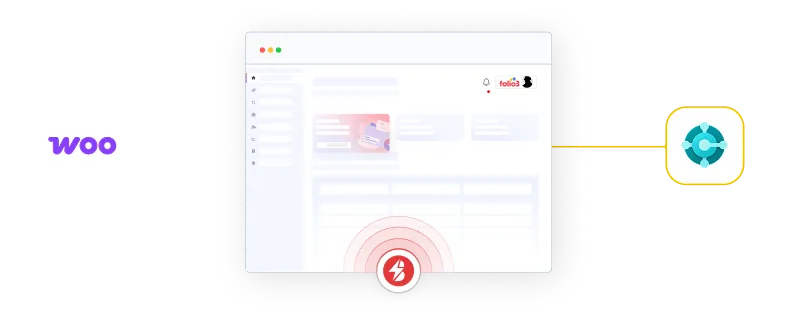
Burq iPaaS connects WooCommerce to Microsoft Dynamics 365 Business Central with real-time, bidirectional sync that holds steady when order volume spikes. Your storefront reflects financial and physical truth at any given microsecond, with no custom middleware to maintain.
When you scale, the standard integration pipe breaks under pressure.
Most WooCommerce ERP integration stories stop at back-office automation, sparing a person from retyping an order. That is the easy half. The hard half is keeping a high-traffic storefront honest while Business Central commits the same stock to wholesale and B2B channels. This is where a basic WooCommerce ERP connector quietly fails.
Buffer lag oversells your stock
High-volume checkouts pile up faster than a scheduled batch job can clear. WooCommerce keeps selling units that Business Central has already committed to a wholesale order, so you oversell and then cancel.
B2B pricing stays locked in the ERP
Contract pricing, customer-specific price lists, and tier breaks live inside Business Central. If they fail to reach your WordPress site in real time, customers see the wrong price and your margin leaks on every order.
Batch sync cannot keep up
Many WooCommerce ERP integrations poll on a timer. Between syncs, your catalog, stock, and order status drift apart. The faster you grow, the wider the gap, and the more manual cleanup your team inherits.
Brittle scripts become operational debt
Custom plugins and one-off scripts that connect WooCommerce to your ERP break with every platform update. Each fix adds risk inside the core ERP and pulls developers away from real work.
An elastic data membrane between WooCommerce and Business Central.
Burq iPaaS is not a scheduled pipe. It is an event-driven layer that absorbs volatile front-end order spikes and instant multi-warehouse stock allocations at the same time. Your WooCommerce store and Microsoft Dynamics 365 Business Central stay in agreement on what is in stock, what it costs, and where every order stands.
Event-driven, not timer-driven
An order placed in WooCommerce triggers Business Central in real time, in seconds rather than on the next batch window. No buffer lag, no drift between syncs.
Business Central as the inventory truth
Your ERP stays the single system of record. Burq pushes live multi-warehouse availability out to WooCommerce so the storefront never sells what is already committed.
ERP pricing on the storefront in real time
Customer price lists, contract rates, and tier breaks flow straight from Business Central to WooCommerce, so B2B and B2C buyers always see the price your ERP intends.
Scale volume without operational debt
Flat, connection-based pricing means you can process ten orders or ten million without a usage spike on your invoice and without adding discrepancies inside the core ERP.
Integration in action
One platform keeping both systems in sync.
WooCommerce to Microsoft Dynamics 365 Business Central
What the connector syncs
Every record your WooCommerce store and ERP need to agree on.
The Burq connector for WooCommerce and Business Central maps the full commerce dataset across both systems. Each object can run one-way or bidirectionally, so you decide which platform is the source of truth for every field.
Products & catalog
SKUs, descriptions, categories, variants, and item attributes stay consistent across channels, so shoppers see one accurate catalog everywhere.
Inventory & stock
Live, multi-warehouse stock levels push from Business Central to WooCommerce to prevent overselling and to keep reorder forecasting accurate.
Pricing & price lists
Standard pricing, customer-specific rates, and B2B contract tiers flow from the ERP to the storefront so the displayed price always matches your books.
Sales orders
Orders, line items, shipping and billing addresses, and status updates move between systems automatically, ending manual order entry and order aging.
Customers & companies
Customer accounts, company records, and B2B relationships stay unified, giving sales and finance a single, accurate view of every buyer.
Fulfillment & tracking
Shipment confirmations and tracking numbers post from Business Central back to WooCommerce, so customers get status updates without a manual handoff.
Invoices, payments & tax
Invoice, payment, and tax detail sync into Business Central so finance stays tax ready and accounts receivable reconciles without spreadsheet work.
Need another object?
The mapped fields above are the standard set. Custom objects and field-level mappings can be added to fit how your business actually runs.
How Eight Marketplaces Became One System of Record
See how a US home furnishings brand unified direct-to-consumer and eight marketplaces on Microsoft Dynamics 365 Business Central with BURQ iPaaS.
Why Burq, not a generic plugin
The capabilities that hold the membrane together.
A WooCommerce ERP plugin can move a record. Burq iPaaS keeps both systems true under load, which is what scaling commerce actually demands.
Sub-second event triggers
Real-time, event-driven sync replaces batch polling, so stock and orders update the moment they change in either WooCommerce or Business Central.
AI-assisted schema mapping
Burq detects field mismatches, type conflicts, and missing values before they cascade into errors, then suggests the transformation to fix it.
Cloud, on-prem, or hybrid
The Burq DropBridge agent connects an on-prem Business Central instance through a secure, outbound-only tunnel. No VPN and no inbound firewall changes.
Flat, predictable pricing
Connection-based plans, not per-task or per-row billing. Order volume can spike without your integration invoice spiking with it.
No silent failures
Every record carries a trace ID. Failed events are quarantined with the exact reason, never dropped, and can be replayed in a single click.
Built by ERP specialists
Burq comes from Folio3's systems-integration team, with years of Microsoft Dynamics 365 delivery behind every connector. We know what breaks in production.
BURQ Security & Support Comparison
CAPABILITY
BURQ IPAAS
GENERIC WOOCOMMERCE ERP PLUGIN
Sync model
Real-time, event-driven
Scheduled batch polling
Behaviour at peak volume
Absorbs spikes, no oversell
Buffer lag and drift
B2B contract pricing to storefront
Live from Business Central
Manual or missing
Multi-warehouse stock
Yes
Single source only
Error handling
Quarantine, trace ID, replay
Silent drops
On-prem Business Central
DropBridge, no VPN
Rarely supported
Pricing as you scale
Flat, connection-based
Per-task or per-row
Built by
Folio3 ERP integration team
General automation vendor
Discover the Power of Seamless Integration
Increased Efficiency
0%
No. of transactions
case studies
Empowering Global Businesses with Powerful Integration
Real Results, Real Impact
Amazon and Business Central Integration for a European Retail Group
A European-based retailer automated its Amazon to Business Central integration in two months using BURQ iPaaS — achieving real-time sync across products, pricing, inventory, orders, and shipments with no manual intervention.
Multi-Channel Marketplace Integration for a US Home Furnishings Brand
A US-based home furnishings company unified eight marketplace channels with Dynamics 365 Business Central through BURQ iPaaS, eliminating manual order management and achieving synchronized inventory across all platforms.
Shopify and Dynamics NAV Integration for a Global Footwear Brand
A global footwear brand integrated Shopify, Dynamics NAV, and a third-party logistics provider into a single automated flow using BURQ iPaaS — synchronizing orders, inventory, and fulfillment data across all three systems.
Amazon and Business Central Integration for a US Event Supplies Manufacturer
A US event supplies manufacturer automated Amazon order processing, settlement reconciliation, and returns management through BURQ iPaaS — recovering 40 to 50 finance working days per year previously spent on manual data handling.
WooCommerce and Business Central integration, answered.
How do you connect WooCommerce to Business Central?
You connect WooCommerce to Business Central with an iPaaS rather than a brittle plugin. With Burq, you authenticate both systems, choose the real-time triggers you care about, map the fields, and go live. There is no custom middleware to build, and standard deployments reach production in days.
Is the integration bidirectional?
Yes. Orders, customers, and catalog data can sync both ways between WooCommerce and Microsoft Dynamics 365 Business Central, while inventory, pricing, and tracking are typically pushed one way from the ERP. You choose the source of truth for each object.
How does it stop WooCommerce from overselling?
Business Central stays the inventory system of record, and Burq pushes live multi-warehouse stock to WooCommerce on every change through event-driven sync. Because updates are real time rather than batched, the storefront does not keep selling units the ERP has already committed elsewhere.
Does it handle B2B and contract pricing?
Yes. Customer-specific price lists, tier breaks, and contract rates flow from Business Central to your WordPress storefront in real time, so B2B buyers see their negotiated price and your margin holds on every order.
Do I need a developer or a WooCommerce ERP plugin?
Not for standard workflows. Burq's no-code canvas lets operations and finance teams manage the WooCommerce ERP integration themselves after setup. For complex logic, scripting is available, and a managed services tier is there if you would rather Folio3 run it for you.
What is the best ERP integration approach for WooCommerce at scale?
For volume, an event-driven iPaaS beats a scheduled connector or a custom script. It keeps WooCommerce and your ERP in agreement during traffic spikes, supports multi-warehouse stock and B2B pricing, and uses flat pricing so scaling order volume does not create cost surprises or data discrepancies in the core ERP.
Our Business Central is on-premises. Does that work?
Yes. The Burq DropBridge agent installs on your network and opens a secure, outbound-only tunnel to Burq iPaaS, with no inbound firewall rules or VPN. It supports cloud, on-prem, and hybrid Business Central deployments.
How are sync errors handled?
Every record carries a unique trace ID. Failed events are quarantined with the exact failure reason and the affected payload, never dropped silently. You can replay a single record or a full batch in one click, so a hiccup never turns into lost orders.



















 BURQ IPAAS